
Download Social Plus – Facebook on steroids, free Firefox extension
Overview
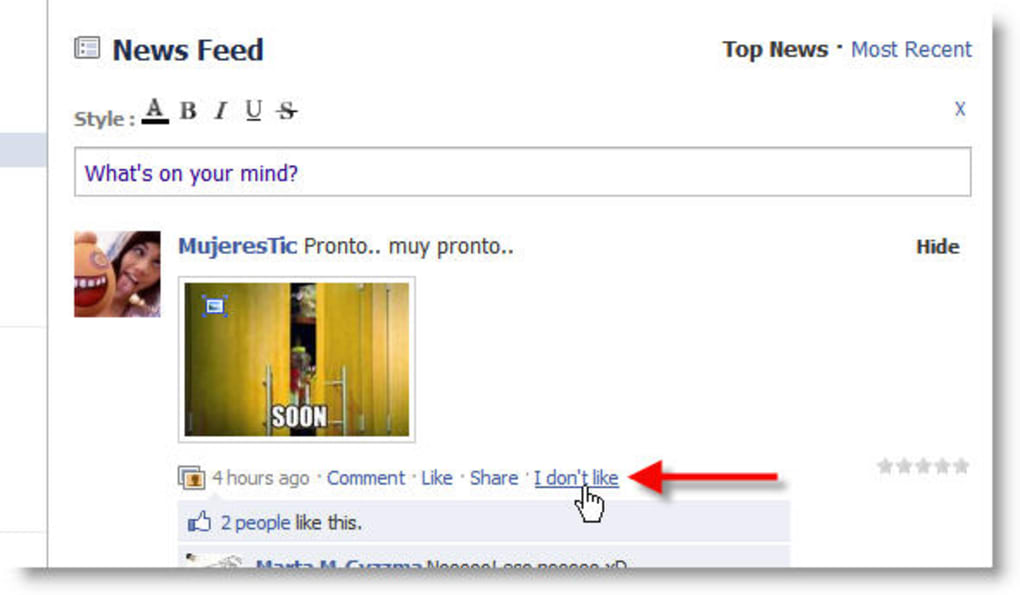
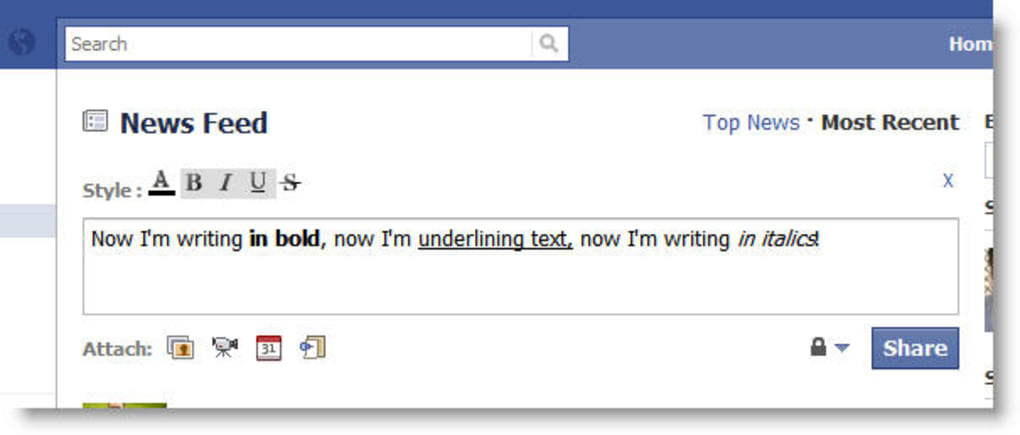
Social Plus is a powerful Firefox extension that transforms the classic Facebook experience into a richer, more expressive platform. Designed for fans who spend hours scrolling, commenting, and sharing, the tool adds a suite of formatting options, rating systems, and visual tweaks that go far beyond the native capabilities of the social network. With Social Plus, users can bold, italicise, underline, or even colour‑code their wall posts, making each update stand out in the endless newsfeed. The extension also introduces a star‑rating feature reminiscent of iTunes, allowing you to give friends a quick “thumbs‑up” or “thumbs‑down” on their posts – complete with a brand‑new “I don’t like” button for those moments when a simple “like” just isn’t enough.
Beyond text enhancements, Social Plus offers practical improvements such as a draggable chat window that you can position anywhere on the screen, new smileys that inject personality into conversations, and a handy photo preview that appears when you hover over an image thumbnail. The extension is also highly customisable: a dedicated menu appears in the top‑right corner of Facebook, giving you instant access to skin selections, layout tweaks, and advanced settings. Most of these enhancements are visible only to other Social Plus users, encouraging you to invite friends and create a shared, upgraded environment. If you love Facebook and want a free, secure way to personalize every interaction, Social Plus is the must‑have add‑on you’ve been waiting for.
Key Features
- Advanced Text Formatting: Bold, italics, underline, and colour options for wall updates.
- Star Rating System: Rate friends’ posts with 1‑5 stars, similar to iTunes reviews.
- “I Don’t Like” Button: A transparent alternative to the standard “Like” for honest feedback.
- Draggable Chat Window: Move the chat box to any corner of the screen for optimal workspace.
- New Emoji Pack: Fresh smileys and emoticons that aren’t available in the default Facebook set.
- Hover‑Preview Photos: See a larger preview of images simply by hovering your mouse.
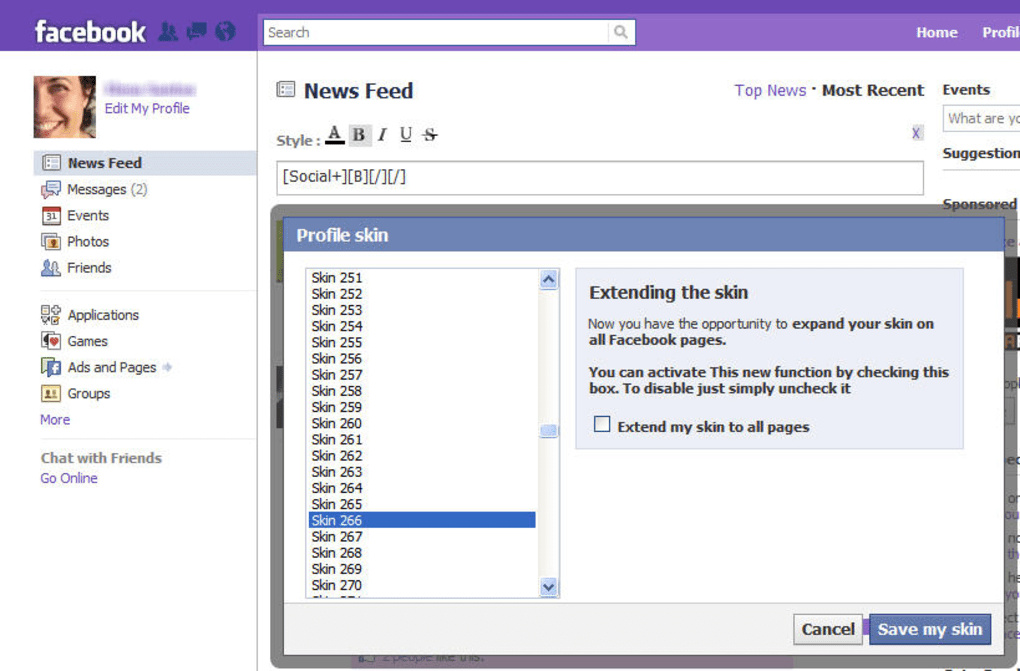
- Skins & Color Schemes: Over a dozen skins to change Facebook’s look, from subtle tones to bold themes.
- Centralised Settings Menu: Quick access to all options via a top‑right icon on the Facebook homepage.
- Friend‑Only Visibility: Most enhancements appear only for users who have installed Social Plus, creating a private “club” feel.
- Lightweight & Free: No hidden fees, minimal impact on browser performance, and regular security updates.
Installation, Usage & Compatibility
Getting Social Plus up and running is straightforward, even for users who are new to browser extensions. First, open Firefox and navigate to the official Mozilla Add‑ons page for Social Plus. Click the “Add to Firefox” button, confirm any permission prompts, and the extension will download and install automatically. Once installed, you’ll notice a small icon appear in the upper‑right corner of your Facebook homepage – this is the gateway to the extension’s control panel.
To start using the new features, simply compose a new status update as usual. You’ll now see a formatting toolbar directly above the text box, offering bold, italic, underline, and colour swatches. Hover over a friend’s post to reveal the star rating icons; click the desired number of stars to submit your rating. The “I don’t like” button appears next to the traditional Like icon, providing a quick way to express disapproval without leaving a comment.
Compatibility is a core focus for Social Plus. The extension is built specifically for Mozilla Firefox (version 78 and later) on Windows, macOS, and Linux platforms. While the extension is not officially supported on Chrome, Edge, or Safari, many users report that it works in Chromium‑based browsers via the “Firefox for Chrome” compatibility layer, though performance may vary. Mobile users on Android or iOS cannot install the extension directly, as it relies on desktop‑only browser APIs. However, the development team has hinted at a future mobile‑friendly version, so keep an eye on official announcements.
After installation, the settings menu can be accessed by clicking the Social Plus icon at the top right of Facebook. Here you can toggle each feature on or off, select a skin, adjust chat window behaviour, and manage privacy settings. Changes take effect instantly, and you can preview them by refreshing the page or navigating to another section of Facebook. The extension also checks for updates automatically; you’ll receive a discreet notification when a newer version is available, ensuring you always have the latest security patches and feature enhancements.
Pros & Cons
Pros
- Free and lightweight – no subscription fees or hidden costs.
- Extensive text‑formatting tools give posts a professional look.
- Star rating and “I don’t like” options add nuanced feedback.
- Draggable chat window improves multitasking on Facebook.
- Hover‑preview for photos speeds up image browsing.
- Custom skins let you personalize the entire Facebook interface.
- All settings are easily accessible from a single menu.
- Regular updates keep the extension secure and compatible.
Cons
- Features are only visible to other Social Plus users, limiting reach.
- Not available for Chrome, Edge, Safari, or mobile browsers.
- Some skins only alter colours, offering limited visual overhaul.
- Occasional minor glitches when Facebook updates its UI.
- Requires Firefox, which may not be the primary browser for all users.
FAQ & Conclusion
How do I invite friends to see my Social Plus enhancements?
Simply share the official add‑on link from the Mozilla Add‑ons site or send a direct invitation via Facebook messenger. Once they install the extension, they’ll see your formatted posts, ratings, and skins.
Is Social Plus safe to use with my personal data?
Yes. Social Plus runs locally in your browser and does not transmit personal data to external servers. All formatting and rating actions are processed client‑side, ensuring privacy.
Can I use Social Plus on multiple computers?
Absolutely. Install the extension on each Firefox instance you use. Your settings are stored locally, so you’ll need to configure them on each device, but all features work identically.
What should I do if a feature stops working after a Facebook update?
Check for an extension update in the Firefox Add‑ons manager. The developers usually release patches quickly after major Facebook UI changes. If the issue persists, report it through the support forum linked on the add‑on page.
Is there a paid version of Social Plus with extra features?
Currently, Social Plus is completely free. The team has hinted at possible premium skins or advanced analytics in the future, but no paid tier exists at the moment.
In summary, Social Plus revitalises the Facebook experience by offering a toolbox of formatting, rating, and visual customization options that are otherwise unavailable on the platform. Its lightweight, free nature makes it an attractive addition for any Firefox user who wants to stand out in the newsfeed, provide more nuanced feedback, or simply enjoy a more flexible interface. While the extension’s reach is limited to Firefox and other Social Plus users, the benefits of richer posts, draggable chat, and instant photo previews outweigh those constraints for most power users. If you’re ready to upgrade your Facebook interactions without spending a dime, download Social Plus today and start personalising your social world.
Download Social Plus now and join the growing community of users who have already taken Facebook to the next level.







